
PUSHKIT.md 2.6 KB
Flutter Callkit Incoming
Setup Pushkit for IOS.
If you are making VoIP application than you definitely want to update your application in the background state as well as wake your application when any VoIP call is being received.
🚀 Setup
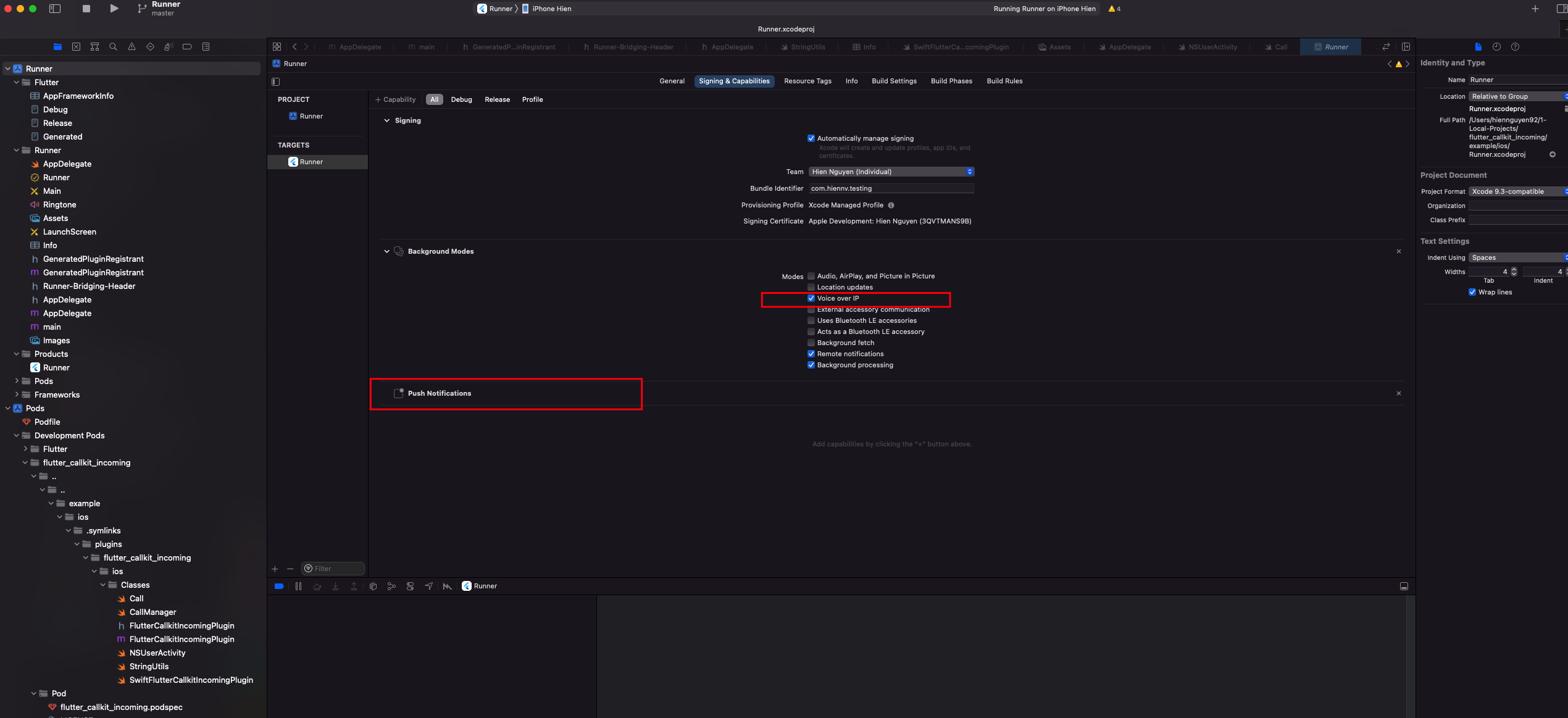
Make sure when you create Bundle ID(https://developer.apple.com/account/resources/identifiers) for app you have checked Push Notifications
Enable Voice over IP Setting
- Xcode Project > Capabilities
VoIP Services Certificate
Go to https://developer.apple.com/account/resources/certificates/add
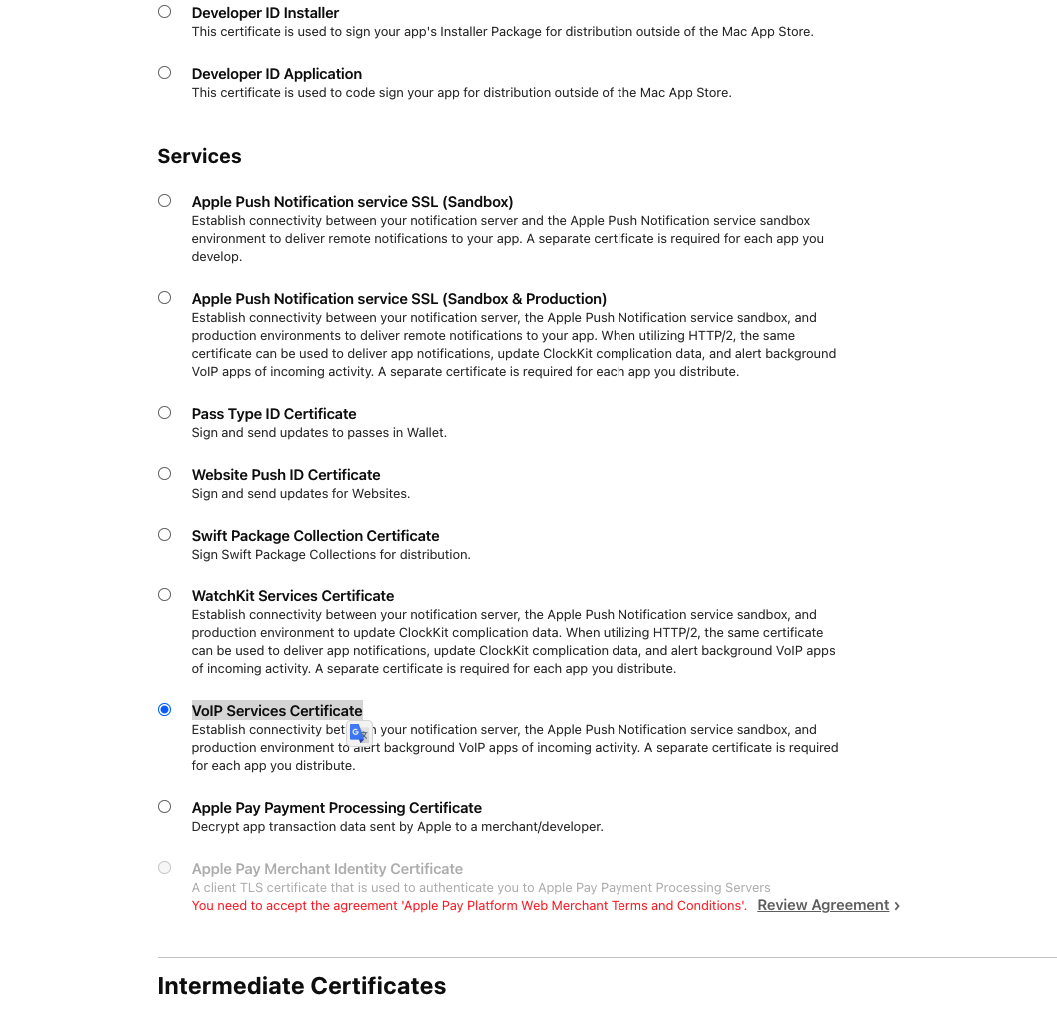
Download the certificate and install it into the Keychain Access app(download .cer and double click to install).
Export .p12
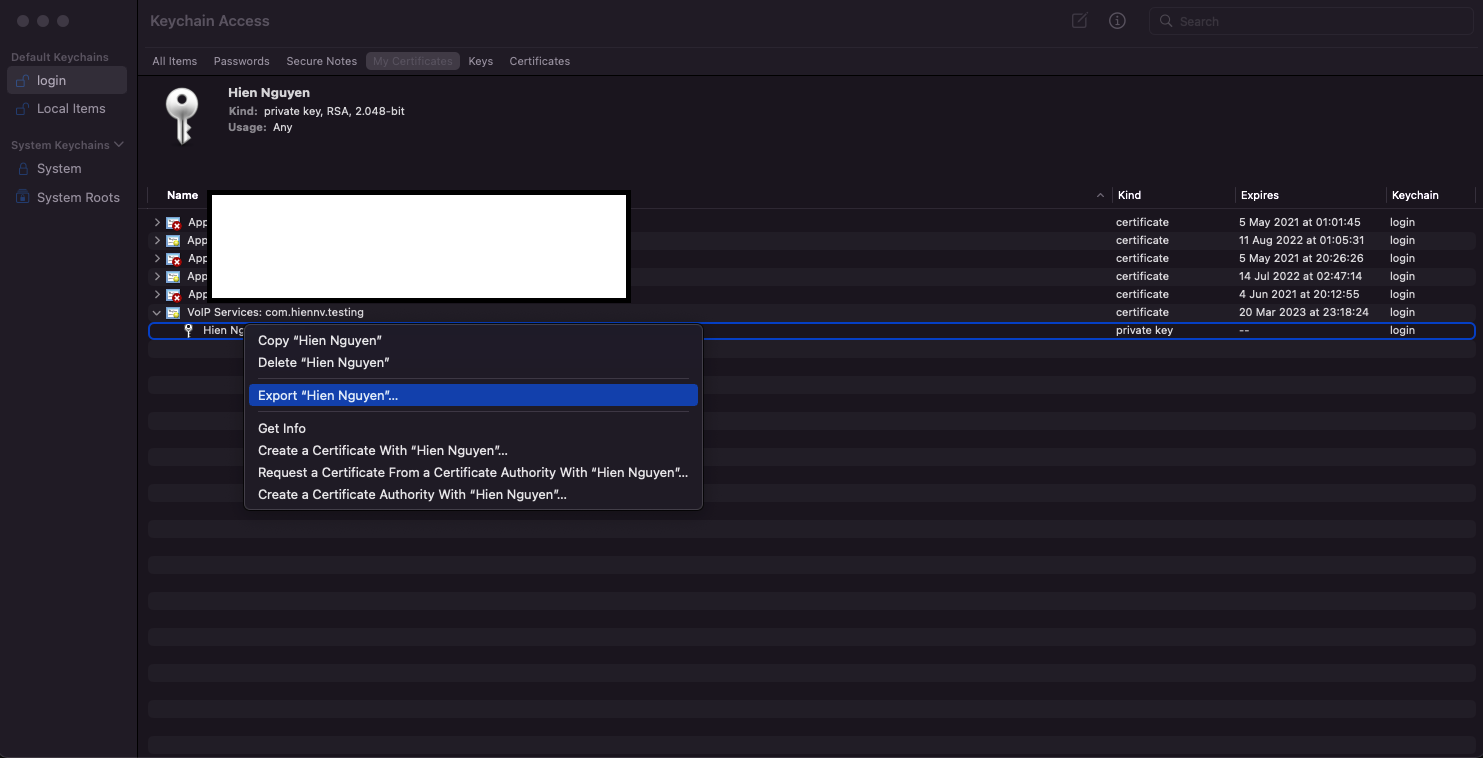
Convert .p12 to .pem (VOIP.pem)
openssl pkcs12 -in YOUR_CERTIFICATES.p12 -out VOIP.pem -nodes -clcerts
- Configure VoIP Push Notifications in Xcode project (Swift)
- Setup VoIP
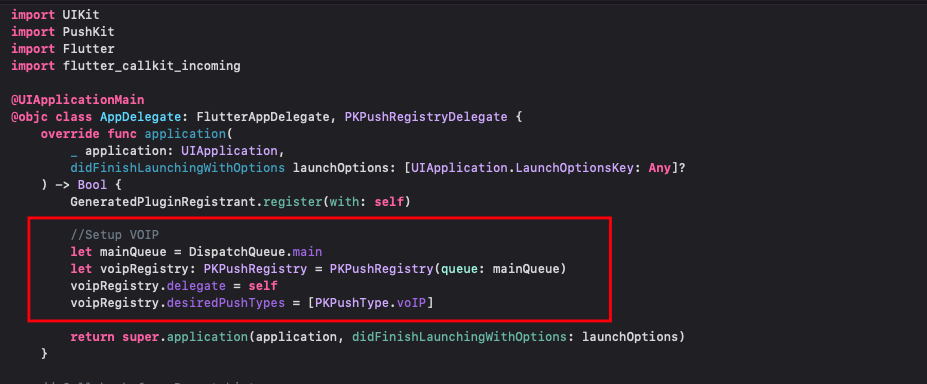
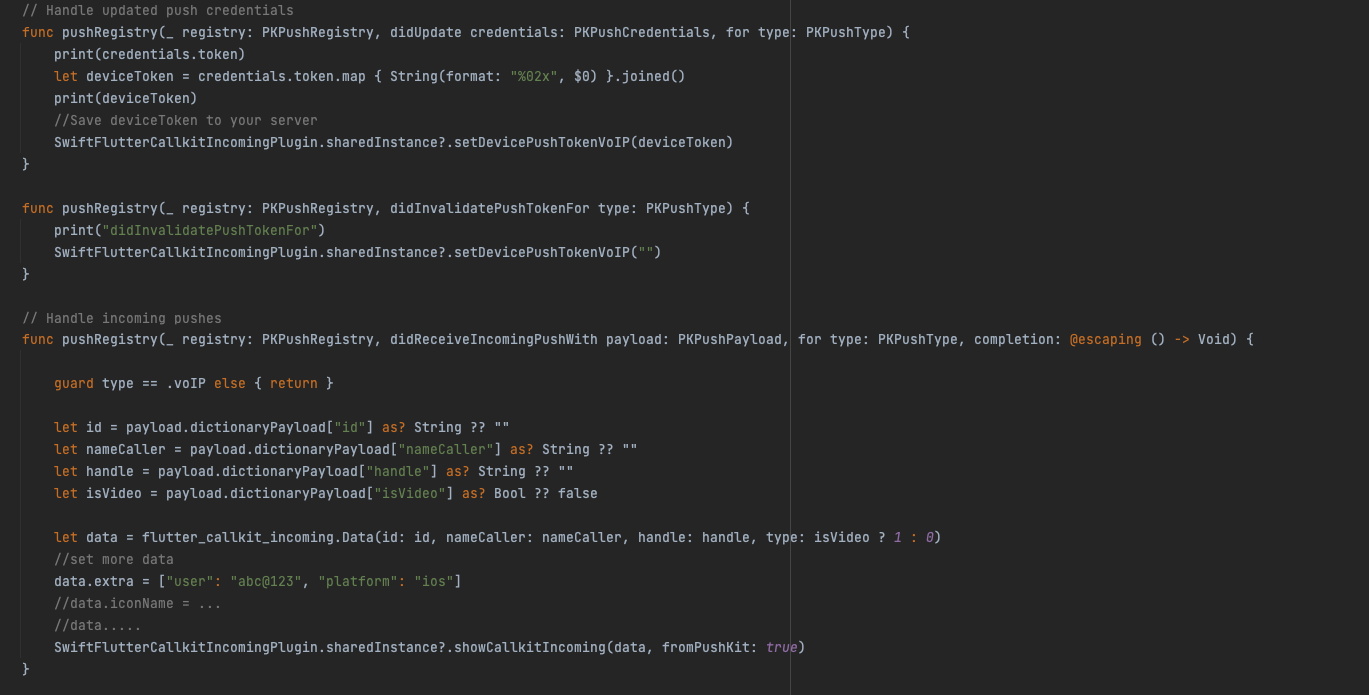
- DeviceToken and handle incoming pushs
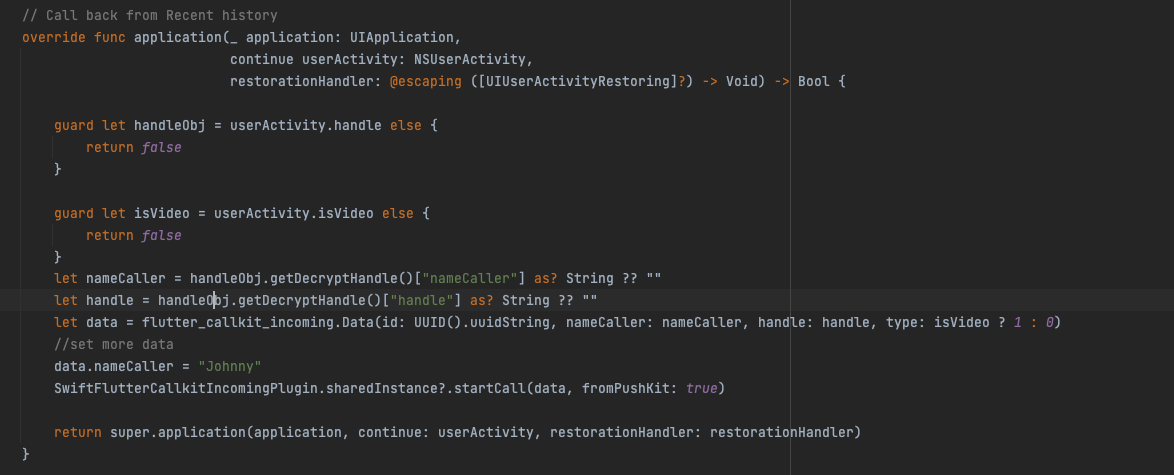
- Start call from Recent history on click (add if necessary)
- Example
Testing
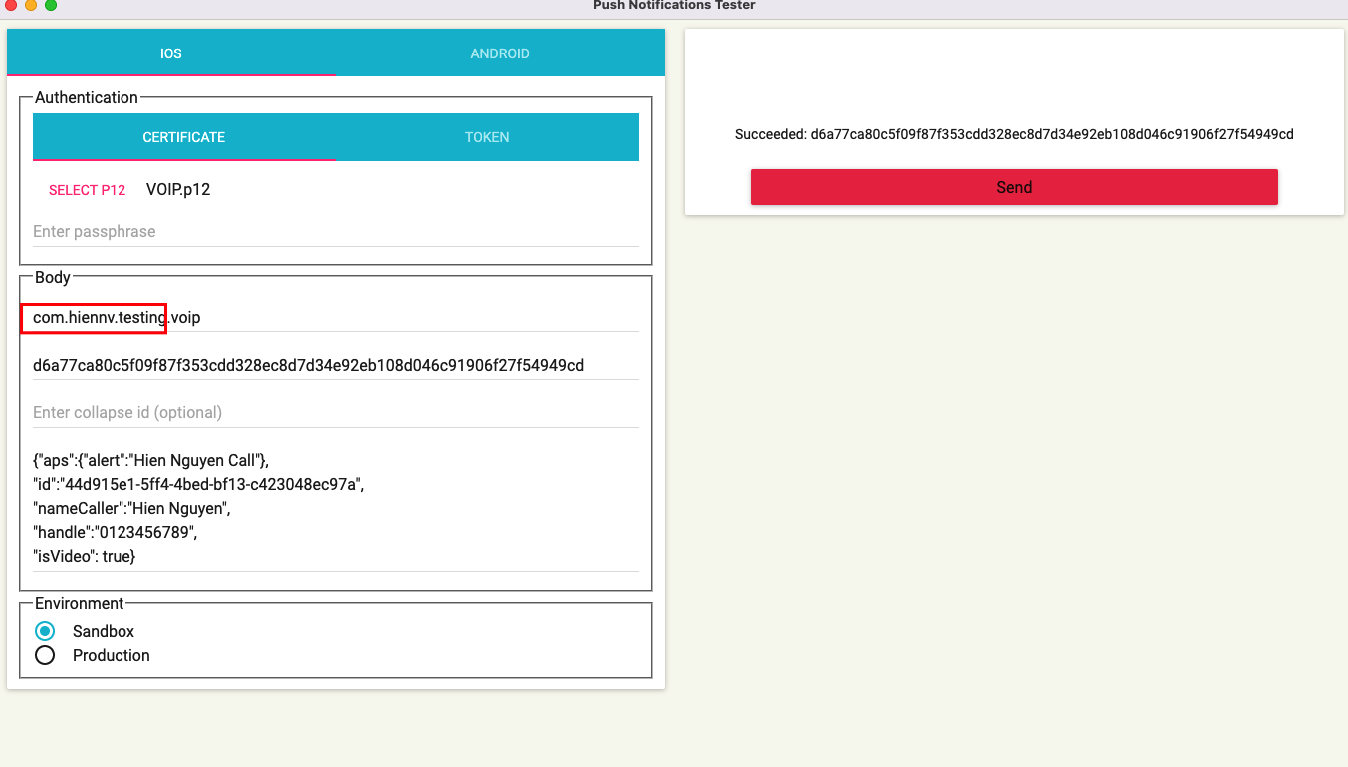
Using Curl
curl -v \
-d '{"aps":{"alert":"Hien Nguyen Call"},"id":"44d915e1-5ff4-4bed-bf13-c423048ec97a","nameCaller":"Hien Nguyen","handle":"0123456789","isVideo":true}' \
-H "apns-topic: com.hiennv.testing.voip" \
-H "apns-push-type: voip" \
--http2 \
--cert VOIP.pem:'<passphrase>' \
https://api.development.push.apple.com/3/device/<device token>
NOTE
To be able to testing in Terminated State
Xcode -> Edit Schema -> Wait for the executable to be launched